
The Online Coach CRM Fields Checklist: What to Track Before You Scale DMs, Setters, or Ads
A practical CRM fields checklist for online coaches tracking leads, Instagram DMs, setters, booked calls, follow-up, lead source, qualification, and sales outcomes.
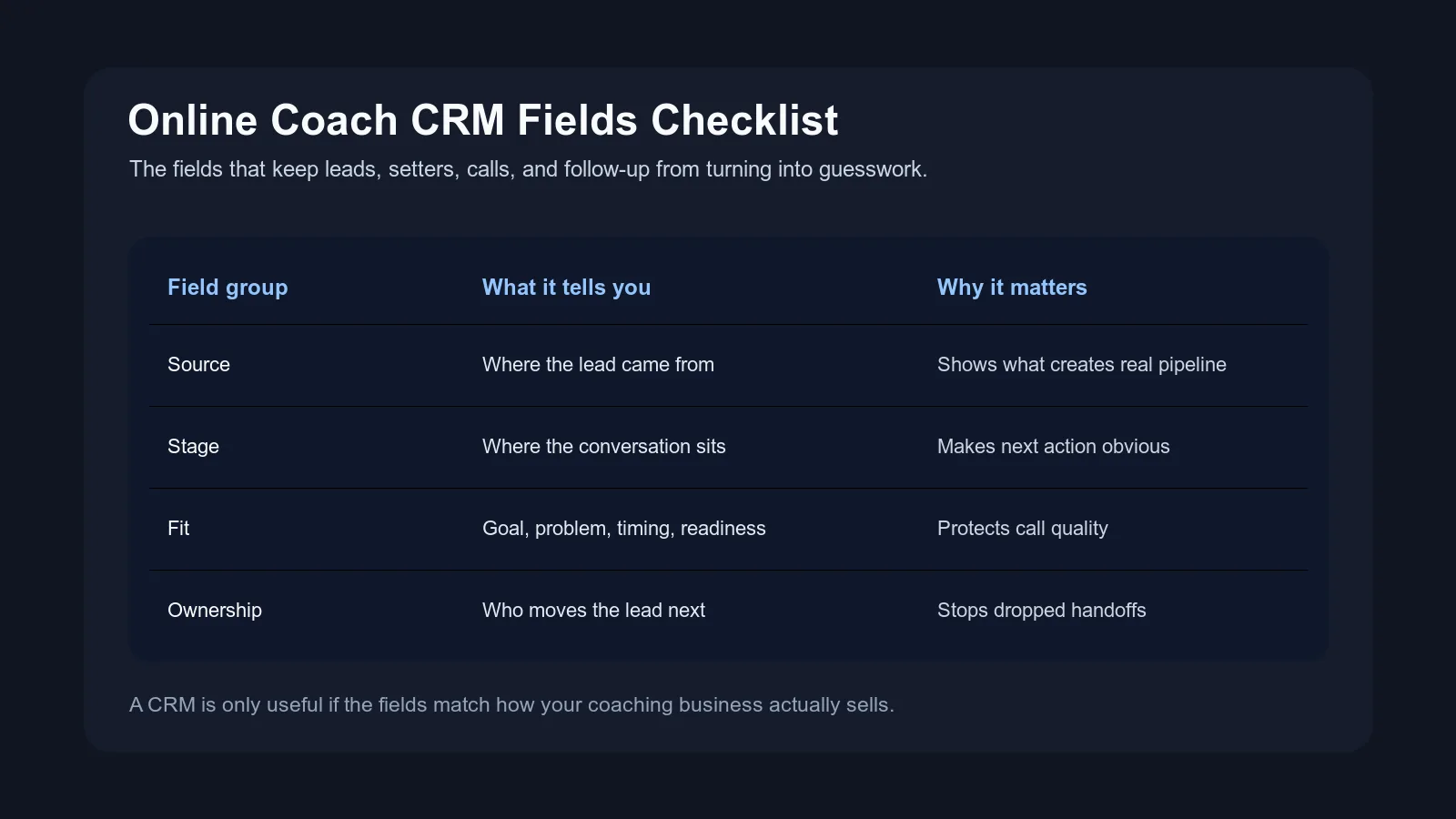
Most coaches do not need a more complicated CRM.
They need better fields.
That sounds small until you have real DM volume, a setter, a VA, ads running, old leads coming back, and a calendar full of calls where nobody can clearly explain where the person came from or what they already said.
At that point, the problem is not only "we need a CRM." The problem is:
- the team does not know which fields matter
- leads have stages but no next action
- source is tracked too vaguely to make decisions
- booked calls happen without useful context
- follow-up dates exist but nobody knows why the follow-up matters
- lost leads disappear with no reason attached
A CRM, spreadsheet, or DM operating system is only useful if it captures the information your coaching business actually uses to sell.
This checklist shows the CRM fields online coaches should track before they scale DMs, setters, ads, or sales calls.

The real reason CRM fields matter
CRM fields are not there to make the business look organized.
They are there to make the next decision easier.
For an online coaching business, that decision might be:
- should we reply now or wait?
- should AI handle this or should a human review?
- should the setter ask one more question?
- should the booking link go out?
- should the closer know this objection before the call?
- should this lead move to nurture?
- should we keep spending on this ad?
- should this source get a different first reply?
If a field does not help with a decision, follow-up, handoff, or weekly review, it probably does not belong in the first version.
That is where many CRMs go sideways for coaches. They create too many fields too early, then the team stops updating them. After a few weeks, the CRM is technically there, but nobody trusts it.
Useful fields beat perfect fields.
CRM vs spreadsheet vs DM operating system
Before we get into the checklist, separate the tool from the tracking logic.
A CRM is usually a system for storing contact records, managing stages, assigning tasks, and reviewing pipeline activity. Salesforce describes customer relationship management as technology for managing relationships and interactions with customers and prospects, which is useful framing if you sell across multiple channels.
A spreadsheet is a lighter version. It can work if the team is small, the fields are clear, and someone owns updates.
A DM operating system is different again. It is built around live conversations, follow-up, AI assistance, handoff context, and movement inside the inbox itself.
The fields below can live in any of those places.
The important thing is not whether you use a CRM, spreadsheet, or dedicated DM system first. The important thing is whether the fields match how your coaching business actually sells.
If you are still deciding whether a CRM is the right layer at all, read Do You Need a CRM for Instagram DMs?. This post assumes you already want a cleaner field structure.
The 6 field groups coaches actually need
Start with six groups.
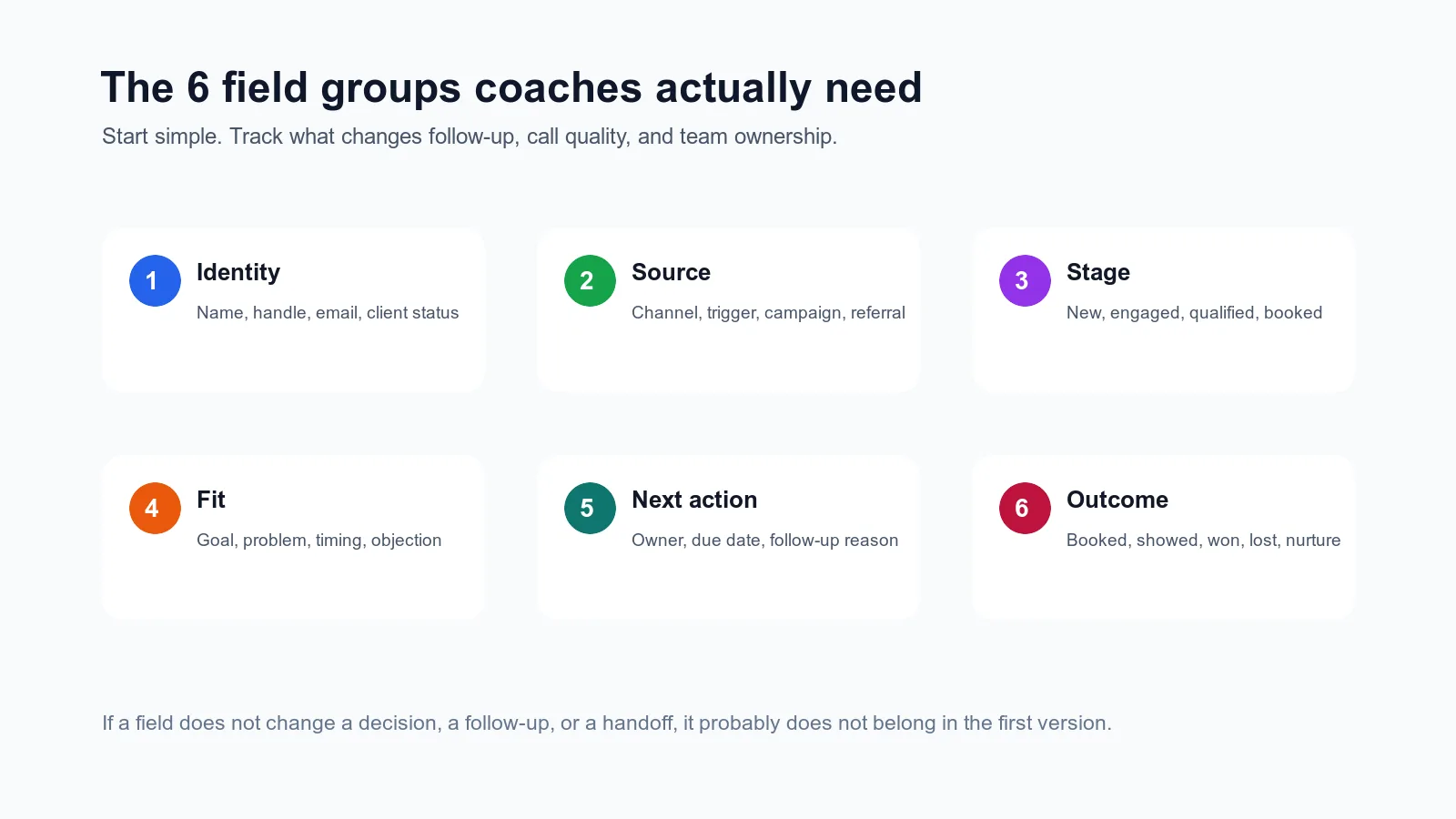
| Field group | What it answers | Why it matters |
|---|---|---|
| Identity | Who is this lead? | Prevents duplicate, anonymous, or mixed-up records |
| Source | Where did this lead come from? | Shows which content, ads, referrals, and DMs create real pipeline |
| Stage | Where are they right now? | Makes the next move visible |
| Fit | Are they a good match for the offer? | Protects call quality and setter time |
| Next action | What happens next, when, and by whom? | Prevents leads from sitting with no owner |
| Outcome | What happened in the end? | Helps you improve sources, offers, calls, and follow-up |
This is enough to start.
You can add more detail later, but most teams do not need a 60-field CRM on day one. They need a small set of fields that everyone understands and actually updates.
The complete CRM fields checklist
Use this as your starting field set.
| Field | Type | Required? | What good looks like |
|---|---|---|---|
| Name | Text | Yes | The lead's real name when known |
| Instagram handle | Text | Yes for DM leads | The handle tied to the thread |
| Text | Optional until booking | Captured when needed for booking or application | |
| Phone | Text | Optional | Only if SMS, call reminders, or applications require it |
| Lead source channel | Dropdown | Yes | Organic Instagram, DM ad, referral, outbound, email, webinar, podcast, old lead |
| Source detail | Text or dropdown | Yes | Story poll, specific ad, keyword, referral name, content angle |
| Campaign or trigger | Text | Optional but useful | "June DM ad test," "price objection Reel," "AUDIT keyword" |
| Current stage | Dropdown | Yes | New, engaged, qualified, link sent, booked, showed, won, lost, nurture |
| Lead temperature | Dropdown | Optional | Hot, warm, nurture, not fit, only if the team defines each one |
| Goal | Text | Yes once engaged | The lead's goal in their own words |
| Problem or bottleneck | Text | Yes once engaged | The thing they are trying to fix now |
| Why now | Text | Optional but valuable | Timing, urgency, trigger, or reason for reaching out |
| Qualification status | Dropdown | Yes before booking | Unknown, needs more context, qualified, not fit, human review |
| Main objection | Dropdown or text | Optional | Price, time, trust, past failure, spouse, schedule, uncertainty |
| Next action | Text or dropdown | Yes | Ask question, send link, follow up, review, close out, nurture |
| Next action owner | Dropdown | Yes | AI, VA, setter, closer, coach |
| Follow-up date | Date | Yes if not closed | The next time someone should move the conversation |
| Follow-up reason | Text | Yes if follow-up date exists | Why the follow-up is happening |
| Booking link sent | Yes/no | Yes if using calls | Shows whether the calendar was offered |
| Booked call date | Date/time | Yes if booked | The scheduled call time |
| Call status | Dropdown | Yes after booking | Booked, showed, no-show, canceled, rescheduled |
| Handoff notes | Text | Yes before call | Source, goal, problem, objection, why now, key thread context |
| Sales outcome | Dropdown | Yes after decision | Won, lost, nurture, no-show, not fit |
| Lost reason | Dropdown or text | Yes if lost | Price, timing, not fit, no response, chose another option, unclear |
| Last meaningful message | Text | Optional but useful | The last reply that changed context |
| Last updated by | Dropdown | Optional | Useful when multiple people touch the same lead |
This looks like a lot on the page, but the team does not need to update every field every time.
Different stages require different fields.
When a lead first enters, identity, source, and stage matter most. When they become engaged, goal and problem matter. Before booking, qualification and next action matter. Before the call, handoff notes matter. After the call, outcome and lost reason matter.
That is the key: fields should appear when they help the workflow, not as a giant form everyone avoids.
Field group 1: identity fields
Identity fields tell the team who the person is and where to find the real conversation.
Start with:
- name
- Instagram handle
- phone if needed
- current client, past client, or prospect
For coaches who sell through Instagram, the handle is often more useful than the email early in the relationship. The conversation lives in DMs, so the record needs to connect back to the thread.
Do not overcomplicate identity fields at the beginning.
You do not need full address, company size, birthday, lifecycle segmentation, five tags, and a custom avatar label before the person has even answered one qualification question.
The job is simple: make sure the team knows who this person is and where the conversation lives.
Field group 2: source fields
Source fields tell you where the lead came from.
This is where most coaching businesses under-track.
They write "Instagram" and call it a day.
But almost everything is Instagram:
- story replies
- Reels
- carousels
- comments
- DM ads
- follower ads
- referrals through DMs
- ManyChat keywords
- outbound
- old leads replying again
If all of that becomes "Instagram," your weekly review will not tell you much.
Use at least two source fields:
| Field | Example |
|---|---|
| Lead source channel | Organic Instagram |
| Source detail | Story reply about missed follow-up |
| Campaign or trigger | June "DM chaos" story sequence |
If you run ads, add campaign or ad-set naming. If you use keywords, add the keyword. If referrals matter, track the referral source.
This connects to Lead Source Tracking for Online Coaches, which goes deeper on channel, source, and campaign naming.
Field group 3: stage fields
Stage tells you where the lead sits in the sales process.
Good stages create action.
Weak stages create vibes.
Avoid stages like:
- hot
- maybe
- interested
- follow-up
- good lead
Those labels may feel familiar, but they do not tell the team what to do.
Better stages:
- new
- engaged
- qualified
- booking link sent
- booked call
- call completed
- won
- lost
- nurture
Each stage should have a rule.
For example:
| Stage | Movement rule |
|---|---|
| New | Lead entered from a source and needs first contextual reply |
| Engaged | Lead replied with enough signal to ask a real next question |
| Qualified | Fit, goal, timing, or need is clear enough to move forward |
| Booking link sent | Calendar link was sent with a reason |
| Booked call | Call is on the calendar and needs handoff notes |
| Nurture | Lead is real but not ready now |
This is the practical layer behind the DM Sales Pipeline. The pipeline names the movement. The CRM fields make the movement visible.
Field group 4: fit and qualification fields
Fit fields protect your calendar.
They help the team avoid booking calls with people who are curious, bored, confused, or simply not a match for the offer.
You do not need a giant intake form inside the CRM. You need the few fields that change whether the conversation should move forward.
Start with:
- goal
- problem or bottleneck
- why now
- qualification status
- main objection
- not-fit reason
For example:
| Field | Weak entry | Useful entry |
|---|---|---|
| Goal | "wants help" | "wants to stop losing warm leads after story replies" |
| Problem | "DMs messy" | "setter and coach both think the other person owns follow-up" |
| Why now | "ready" | "ads are scaling next month and current process is already slipping" |
| Main objection | "price" | "worried another tool will create more admin for the VA" |
The useful version gives the next person real context.
If your team struggles with when to send the calendar link, pair this with The Booking Link Rule.
Field group 5: next-action fields
This is the field group that keeps the system alive.
If you only add one thing to your current lead tracker, add better next-action fields.
At minimum:
- next action
- next action owner
- follow-up date
- follow-up reason
Not just "follow up."
That is too vague.
Better:
| Field | Example |
|---|---|
| Next action | Ask if they want to talk through the handoff issue this week |
| Owner | Setter |
| Follow-up date | 2026-06-29 |
| Follow-up reason | Lead said ads are scaling next month but did not book after link was sent |
Now the follow-up has a reason.
That reason matters because generic follow-up is easy to ignore. Contextual follow-up feels like the team remembers the conversation.
This is also where AI and humans can work together. AI can help surface and draft the next action, but the business still needs clear rules for ownership and review.
Field group 6: outcome fields
Outcome fields are how you learn.
Without outcome fields, every week becomes anecdotal.
The coach thinks ads are working. The setter thinks referrals are better. The closer thinks story replies are warmer. Everyone has a feeling, and nobody has a clean record.
Track:
- call status
- sales outcome
- lost reason
- won source
- no-show reason when known
- nurture reason
Do not make lost reason overly complex.
Start with:
- no response
- not fit
- price
- timing
- chose another option
- no-show
- needs nurture
- unclear
Then review patterns monthly.
If a source creates a lot of booked calls but many no-shows, that is not the same as a source that creates fewer calls but better buyers. If price is showing up repeatedly from one campaign, the issue may be positioning, qualification, or audience, not just the closer.
Outcome fields turn random sales frustration into something you can actually improve.
The fields to avoid in version one
Some CRM fields look smart but create drag.
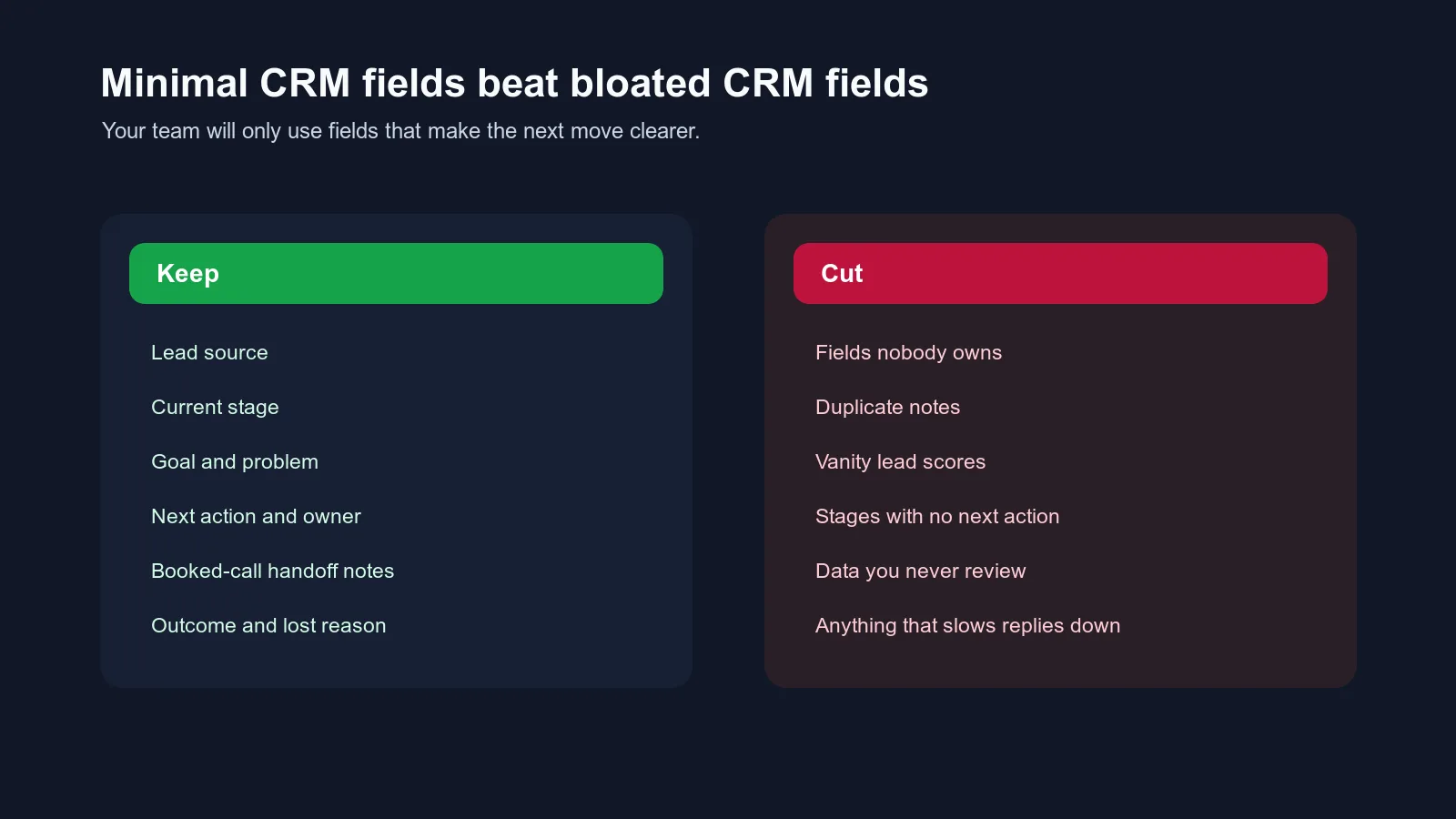
Avoid these in the first version:
- fields nobody owns
- fields nobody reviews
- duplicate notes in three places
- vague lead scores with no movement rule
- stages that do not change the next action
- personality labels that do not affect sales process
- complicated attribution fields the team cannot maintain
- fields copied from a generic CRM template
- anything that makes replies slower
This last point matters.
If your CRM setup makes the team slower inside DMs, the tool is working against the sales channel.
The field system should support the conversation, not turn every reply into admin.
A simple field setup for different stages
Here is the cleanest way to use the fields without overwhelming the team.
| Stage | Required fields |
|---|---|
| New | name or handle, source channel, source detail, stage, owner |
| Engaged | goal, problem, last meaningful message, next action |
| Qualified | qualification status, why now, main objection, booking decision |
| Link sent | booking link sent, follow-up date, follow-up reason |
| Booked | booked call date, handoff notes, call owner, source |
| Call completed | call status, outcome, next step |
| Won | source, offer sold, outcome, onboarding status |
| Lost or nurture | lost reason, nurture reason, future follow-up date |
This makes the CRM feel less like a giant form.
The team only needs to fill what matters for the current stage.
How to keep fields updated without annoying your team
The best field system is the one your team actually uses.
Here is the rule:
Update fields at natural handoff points, not randomly throughout the day.
Good update moments:
- when a new lead enters
- when a lead becomes engaged
- before sending the booking link
- after the booking link is sent
- when the call is booked
- after the call
- when the lead is closed, lost, or moved to nurture
Do not ask your setter or VA to fill a full CRM record after every tiny message.
That is how the system dies.
Instead, decide which fields must be updated at each stage and who owns the update.
| Moment | Owner | Fields to update |
|---|---|---|
| New DM enters | AI, VA, or setter | source, stage, owner |
| Lead gives real context | AI or setter | goal, problem, last meaningful message |
| Lead is ready for next step | setter or coach | qualification status, next action |
| Call is booked | system or setter | booked call date, handoff notes |
| Call ends | closer or coach | outcome, lost reason, next step |
When ownership is clear, fields stay cleaner.
When ownership is vague, fields become optional decoration.
What to review every week
Fields only matter if you use them.
Once a week, review:
- leads with no next action
- leads with no owner
- leads with overdue follow-up
- booked calls missing handoff notes
- link sent but not booked
- qualified but not booked
- no-shows by source
- lost reasons by source
- sources creating high-quality calls
- sources creating low-quality calls
This is where credibility gets built inside the business.
You stop saying, "I think the ads are bad" or "I think the setter is missing things."
You can see:
- which source creates real conversations
- where leads stall
- which handoffs are thin
- which calls are weak before they ever happen
- which follow-ups have no reason attached
That kind of clarity is what makes scaling feel less like guessing.
The minimum viable field set
If your current system is messy, do not start with the full checklist.
Start here.
| Field | Why it matters |
|---|---|
| Name or handle | Know who the lead is |
| Lead source channel | See broad source quality |
| Source detail | Understand what created intent |
| Current stage | Know where the lead sits |
| Goal | Know what they want |
| Problem | Know why they reached out |
| Qualification status | Know whether to move forward |
| Next action | Know what happens next |
| Owner | Know who is responsible |
| Follow-up date | Know when action is due |
| Booking status | Know if the calendar step happened |
| Handoff notes | Prepare the call |
| Outcome | Learn what happened |
| Lost reason | Improve the system |
That is enough for most online coaches to stop guessing.
Add complexity only after this is being used consistently.
Where Intellicoach fits
If your sales conversations happen mostly in Instagram DMs, the hardest part is not just storing these fields.
It is keeping them connected to the live conversation.
That is where a DM-specific system matters. The field, the thread, the follow-up, the AI assistance, the owner, and the handoff all need to stay close together. Otherwise the team ends up bouncing between Instagram, a CRM, a calendar, a spreadsheet, and memory.
Intellicoach is built for coaches who already have DM volume and need that conversation layer to hold up. The point is not to create more admin. The point is to keep the right context attached to the right lead while the conversation is still moving.
For the broader operating model, read What Is a DM Operating System?.
The bottom line
The best CRM fields for online coaches are not the fanciest fields.
They are the fields your team can use to make better decisions:
- where did this lead come from?
- what stage are they in?
- what do they want?
- what is blocking them?
- who owns the next action?
- when should follow-up happen?
- what context needs to reach the call?
- what happened in the end?
When those answers are visible, your coaching business gets calmer.
Not because the CRM is magical.
Because the system finally reflects how your leads actually move.
Frequently asked questions
What CRM fields should online coaches track?
Online coaches should track lead identity, lead source, current pipeline stage, qualification context, next action, owner, follow-up date, booked-call details, sales outcome, lost reason, and notes that help the next conversation.
Do online coaches need a CRM or just a spreadsheet?
A spreadsheet can work if the team is small and the fields are simple. A CRM or DM operating system becomes more useful when lead volume, setters, ads, follow-up, and booked-call handoffs become too much to manage manually.
What is the most important CRM field for coaching leads?
The most important field is usually next action, because it tells the team what needs to happen now. Source, stage, owner, and follow-up date are close behind because they prevent leads from sitting with no clear movement.
How many CRM fields should a coaching business start with?
Start with 12 to 18 fields that the team will actually use. Too few fields create blind spots, but too many fields slow down replies and make the system feel like admin instead of sales support.
Ready to Try Intellicoach?
Built for online coaches with real DM volume who want to automate follow-ups and qualification without losing their voice.