
Instagram Account Hacked? How to Recover and Secure It
Instagram account hacked or email changed? Use the official recovery path, secure your login, remove unknown access, and avoid recovery scams.
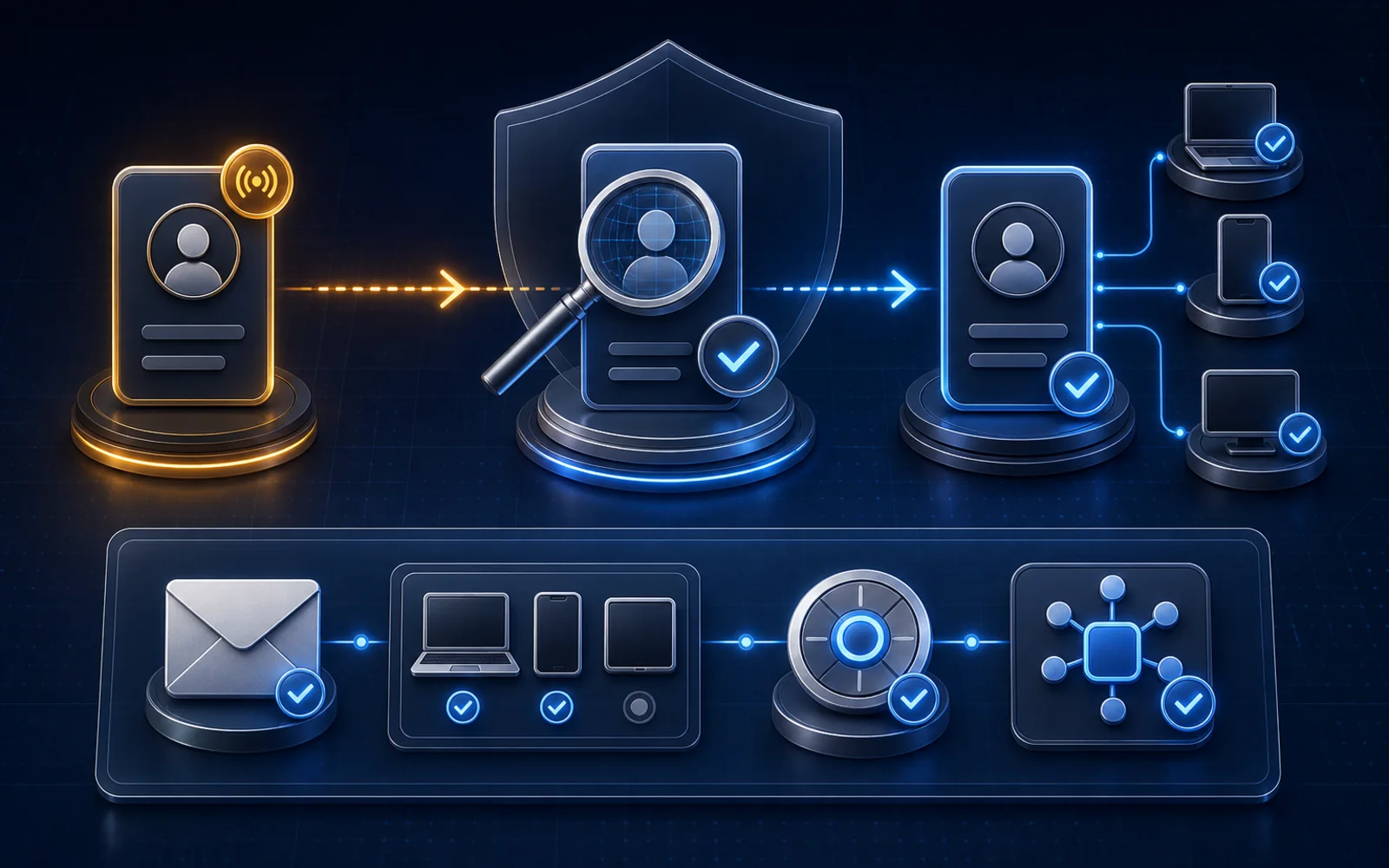
You open Instagram and your password no longer works.
Or you are still logged in, but the email, phone number, bio, ads, messages, or connected accounts changed without you.
At that point, speed matters—but random action creates new problems. Paying a “recovery expert,” submitting repeated forms, deleting evidence, or changing one password while the attacker still controls the email account can make the incident harder to contain.
This guide helps you identify the account state, use Instagram's official recovery path, secure the surrounding access, and preserve a clean record of what happened.
Source check: This guide was verified against Meta and Instagram documentation available on August 15, 2026. Recovery screens and identity options vary by account and can change. Follow the current instructions Instagram shows for the affected account.
The short answer
If you think your Instagram account was hacked:
- Secure the email account connected to Instagram.
- Save the change notices and current account state.
- If Instagram emailed your original address about an email change, use the legitimate Secure my account option when available.
- Go directly to instagram.com/hacked or Instagram's supported login flow.
- Request the login link, security code, support, or identity-verification option Instagram offers.
- Once you regain access, change to a unique password and confirm the email and phone number.
- Remove unfamiliar sessions and linked accounts.
- Turn on two-factor authentication and replace exposed backup codes.
- Revoke suspicious apps, websites, and team access.
- Audit unauthorized posts, messages, ads, and profile changes before declaring the incident closed.
Instagram's hacked-account guidance says the available recovery steps can differ by account. It documents changed-email reversal, login links, security codes, support requests, and identity verification—not one universal reset button.
First classify the account state
Do not use “hacked” to describe every login or enforcement problem. Start with what you can observe.
| What you can observe | State to investigate | Best first path |
|---|---|---|
| You are still logged in, but see changes or actions you did not make | Suspected compromise with retained access | Secure email, change Instagram password, confirm contact details, review sessions, linked accounts, apps, and 2FA |
| Instagram emailed your original address saying the account email changed | Unauthorized email change | Verify the notice and use Secure my account if offered |
| You are logged out but still control the listed email address or phone number | Lost login with recovery contact access | Request an official login link or security code |
| You are logged out and the email or phone number is unavailable or changed | Account takeover with lost recovery contact | Use instagram.com/hacked and the support or identity-verification path offered |
| Instagram explicitly says the account is disabled | Disabled account | Follow the on-screen disabled-account review path, not hacked-account guesswork |
| You received a scary “Instagram support” DM but the account still looks normal | Possible phishing attempt | Do not click; verify Recent emails inside Accounts Center and inspect login activity |
| You see an automated-behavior warning but still control the account | Warning or security/compliance incident | Preserve the warning and use the separate incident-response guide |
If Instagram displays an automated-behavior notice, feature restriction, recommendation issue, or disabled-account message, the recovery owner changes. Use the automated-behavior warning guide to distinguish those states before filing the wrong kind of request.
The first 15 minutes
These actions preserve the fastest official recovery options without giving an attacker more information.
Do immediately
- move to a device and network you trust
- secure the email account associated with Instagram
- save screenshots of the login error, changed profile, suspicious activity, and account emails
- write down the current handle, previous handle, original email, phone number, and approximate account-creation details
- check whether any existing Instagram session still works
- go directly to Instagram's app or
instagram.com/hacked - tell team members not to approve login requests or share codes
Do not do
- do not send a password, two-factor code, backup code, session cookie, or recovery link to another person
- do not pay someone claiming to have an internal Meta contact
- do not click “support” links sent through Instagram DMs
- do not publish private recovery evidence or identity documents
- do not repeatedly submit conflicting ownership information
- do not disconnect every legitimate business integration before recording the current state
The ten-step recovery and containment process
1. Secure the connected email account first
Instagram's account-security guidance warns that someone who can read your email may also be able to access Instagram. Changing only the Instagram password is incomplete if the email account can still receive reset links.
For the email account linked to Instagram:
- set a new, unique password
- review logged-in devices and remove sessions you do not recognize
- confirm the recovery email and phone number
- enable two-factor authentication
- check whether mail forwarding or filter rules were added without permission
- preserve suspicious login and password-reset notices
Use the email provider's official recovery flow. Instagram cannot recover the email account for you.
If the business uses a shared inbox, stop sharing the password. Restore access through approved users, delegated access, or the provider's supported team controls.
2. Preserve evidence before broad cleanup
Create a narrow incident record. It should be useful without storing secrets.
Capture:
- Instagram handle before and after any unauthorized change
- account URL
- date, time, and time zone when the issue was discovered
- exact login or security message
- official emails and their full sender addresses
- email, phone, bio, link, profile photo, or username changes
- unauthorized posts, stories, ads, messages, or follows
- unfamiliar devices or locations shown in login activity
- unknown linked accounts, apps, or people with access
- recovery actions and confirmation numbers
Do not record passwords, codes, identity documents, session cookies, or access tokens in a shared incident sheet.
3. Verify the changed-email notice
Instagram says that if the email address on an account changes, it sends messages to the original and new addresses. Its hacked-account instructions say a notice from security@mail.instagram.com may let the original owner select Secure my account to reverse an unauthorized change.
Before clicking:
- Confirm the full sender address, not only the display name.
- If you still have access to Instagram, check Accounts Center → Password and security → Recent emails.
- Compare the timestamp and change described.
- Use the reversal option only through the legitimate notice or Instagram's official recovery flow.
Instagram's Recent emails documentation says account-security emails can be checked inside settings and that Instagram does not contact people about account security through Direct messages.
If the password or other contact information also changed and the email-reversal link does not restore control, move to the login-link or support path.
4. Request a login link or security code
Instagram's recovery guidance describes a login-link path for people who still control an email address or phone number associated with the account.
From the login screen, use Forgot password? and enter the username, email, or phone number. Complete the verification steps and follow the official link Instagram sends.
Use a secure email account that only you can access for support correspondence. Do not forward the login link or code to a team chat. Whoever can use that link may be able to take control of the account.
If the link fails, the listed contact information changed, or you no longer control it, go to instagram.com/hacked and follow the account-specific support prompts.
5. Complete the identity-verification option offered
Instagram may ask for different information depending on the account.
Its official recovery page says an account without photos of the owner may be asked for information such as the original signup email or phone number and the type of device used at signup. An account containing photos of the owner may be offered a video-selfie verification step.
Instagram says the recovery video is not displayed on Instagram and is deleted within 30 days. It also says a failed verification may be submitted again when that option is available.
Important limitations:
- not every account receives the same verification option
- a video selfie is not a guaranteed recovery method
- the person completing it should be the legitimate account owner
- use only the upload path Instagram displays
- do not send identity materials to a person in a DM, text, or private chat
Keep the secure contact email and support case details consistent across submissions.
6. Change credentials and confirm contact details
Once you regain access—or if you never lost it—change the Instagram password to a unique value not used on another service.
Then verify:
| Account detail | Expected owner | Verified? |
|---|---|---|
| Instagram email | ||
| Instagram phone number | ||
| Username | ||
| Accounts Center profiles | ||
| Linked Facebook Page, if applicable | ||
| Business contact email and phone |
If the old Instagram password was reused anywhere else, replace it there too. A password manager can help the team keep credentials unique without copying them into documents or chat threads.
Changing the password is necessary, but it is not the end of the incident. Continue through sessions, two-factor authentication, linked accounts, and authorized apps.
7. Remove unknown sessions and linked accounts
Instagram's recent login activity instructions place active-session review under Accounts Center → Password and security → Where you're logged in. Instagram says you can log out devices you do not recognize and report that a login was not yours.
Review every Instagram and connected account shown in Accounts Center:
- device type
- approximate location
- most recent activity
- whether the device belongs to the owner, agency, or team
- whether the session is still needed
Remove unfamiliar sessions. Then inspect Accounts Center for profiles or linked accounts you do not recognize.
Do not treat an approximate location label as complete forensic proof. Use the device, timing, surrounding account changes, and the owner's real activity together.
8. Enable two-factor authentication and replace backup codes
Instagram's two-factor authentication guidance says 2FA requires a code for login attempts from devices it does not recognize. Instagram currently supports authentication apps, text messages, and WhatsApp, and recommends an authentication app.
After recovery:
- Open Accounts Center → Password and security → Two-factor authentication.
- Select the recovered Instagram account.
- Add the method the owner can maintain securely.
- Review trusted devices.
- Generate a fresh set of backup codes.
- Store the codes outside Instagram in a secure location.
Instagram's backup-code guidance says you must be logged in to view or replace the codes. Generate new codes if old ones were stored in a shared chat, exposed device, or compromised password manager.
Never give a login code or backup code to “support.” Those codes are designed to prove control of the account.
9. Revoke suspicious apps, websites, and shared access
A changed password does not answer which apps and people remain authorized.
Instagram's apps and websites controls let you review active, expired, and removed connections. Removing an app stops future access to non-public information through Instagram, although the service may retain information it previously received.
For each connection, record:
| Access item | Owner | Purpose | Recognized? | Action |
|---|---|---|---|---|
| App or website | Yes / No | Keep / Remove / Investigate | ||
| Linked account | Yes / No | Keep / Remove / Investigate | ||
| Facebook Page role | Yes / No | Keep / Remove / Investigate | ||
| Agency or team access | Yes / No | Keep / Remove / Investigate |
Remove access you do not recognize or no longer need. Preserve legitimate connections until you know their owner and purpose; blind deletion can break publishing, ads, analytics, or inbox operations without proving how the incident occurred.
If a professional account needs to reconnect a legitimate tool afterward, use the separate Instagram permissions checklist and reauthorize through the tool's supported login path.
10. Audit the aftermath and close the incident
Recovery is not complete when the profile opens.
Inspect:
- posts, stories, reels, drafts, and archived content
- direct messages and message requests
- profile name, username, bio, links, contact details, and profile image
- followed and blocked accounts
- ad accounts, active ads, payment methods, and Page connections available to the business
- account status and features you cannot use
- security emails and password-reset attempts after recovery
If unauthorized messages were sent, preserve representative examples and notify the appropriate team. Warn affected contacts through a trusted channel when needed, without publishing private conversation details.
Record a closure time only after:
- the email account is secure
- contact details belong to the owner
- unfamiliar sessions are removed
- 2FA and fresh backup codes are in place
- unknown apps and linked accounts are removed
- unauthorized content and business access have been reviewed
- the team knows who now owns recovery and ongoing access
Hacked, disabled, or simply locked out?
The correct path depends on the notice, not the symptom alone.
| Account state | Recovery owner |
|---|---|
| Password forgotten, no suspicious changes | Normal password-reset flow |
| Email or phone changed without permission | Hacked-account recovery |
| Unknown posts, messages, sessions, or linked accounts | Compromise containment plus hacked-account recovery |
| Explicit disabled-account notice | Disabled-account review instructions shown after login |
| Two-factor code unavailable but account credentials are correct | Backup code or supported login-code recovery |
| Automated-behavior warning while access remains | Warning incident response and security review |
| Recommendation ineligibility | Account Status recommendation review, not hacked recovery |
Instagram's disabled-account guidance says a disabled account displays a specific message at login. If that message is absent, you may be dealing with a login problem instead.
Do not send a hacked-account report merely because reach dropped. Use the exact state Instagram exposes.
Recovery myths and scams
“Instagram support will DM me from a special account”
Instagram says it does not contact people about account security through Direct messages. A profile using an Instagram logo or “support” username is not proof of authority.
“A recovery expert can guarantee the account back”
No outside person can responsibly guarantee Instagram's identity decision or restoration time. Treat requests for payment, passwords, codes, session cookies, remote browser access, or cryptocurrency as serious warning signs.
“Changing the Instagram password ends the hack”
Not necessarily. The email account, active sessions, linked accounts, two-factor methods, backup codes, apps, and Page or team access also need review.
“A video selfie is available for every account”
Instagram says recovery options depend on the account. Video verification may be offered for an account containing photos of the owner, but it is not universal or guaranteed to succeed.
“If I lost the original email, Instagram can restore that mailbox”
Instagram says it cannot help recover access to an email account. Work with the email provider, then use the Instagram recovery path available to the account.
“Submit every form repeatedly until one works”
Repeated contradictory information can make ownership harder to evaluate. Use the supported path, provide consistent facts, and keep case numbers and timestamps.
“Any third-party app is evidence of the hack”
No. Instagram provides supported app authorization. Investigate whether the app is recognized, who approved it, what access it has, and whether it was active near the incident. Do not substitute guilt by category for evidence.
Copyable recovery record
| Incident field | Record |
|---|---|
| Instagram handle before incident | |
| Current handle | |
| Account URL | |
| Discovery date, time, and time zone | |
| Still logged in anywhere | Yes / No / Unknown |
| Email changed | Yes / No / Unknown |
| Phone changed | Yes / No / Unknown |
| Original email secured | Yes / No |
security@mail.instagram.com notice verified |
Yes / No / Not received |
| Login link requested | |
| Security code or support requested | |
| Identity verification offered | |
| Recovery case number | |
| Instagram password replaced | |
| Contact details confirmed | |
| Unknown sessions removed | |
| Unknown linked accounts removed | |
| 2FA method | |
| Backup codes replaced and stored | |
| Active apps reviewed | |
| Page, ad, and team access reviewed | |
| Unauthorized content or messages preserved | |
| Account Status checked | |
| Closure owner and time |
Primary-source verification log
| Source | What it supports | Checked |
|---|---|---|
| Instagram hacked-account recovery | Changed-email reversal, login links, security codes, support, identity verification, and retained-access cleanup | August 15, 2026 |
| Instagram hacked recovery portal | Official account-compromise recovery entry point | August 15, 2026 |
| Account security | Email security, unique passwords, 2FA, third-party access, and hacked-account path | August 15, 2026 |
| Recent Instagram emails | In-app verification of recent official emails and no security support through DMs | August 15, 2026 |
| Recent login activity | Active-session review, logout, and unknown-login response | August 15, 2026 |
| Instagram two-factor authentication | Supported 2FA methods, trusted devices, and authentication-app recommendation | August 15, 2026 |
| Instagram backup codes | Viewing and replacing backup codes while logged in | August 15, 2026 |
| Apps and websites | Active, expired, and removed third-party access | August 15, 2026 |
| Lost email or phone access | Email-provider recovery boundary and contact-information updates | August 15, 2026 |
| Disabled Instagram account | Disabled-account notice and review-path distinction | August 15, 2026 |
The bottom line
A credible Instagram account-recovery plan is not “change the password and hope.”
It is a controlled sequence: identify the state, secure the email account, preserve evidence, use Instagram's official recovery path, verify ownership, remove unknown sessions and linked accounts, enable strong two-factor authentication, revoke suspicious access, and audit the aftermath.
No article can guarantee that Instagram will restore a particular account. This process gives the legitimate owner the strongest documented path while reducing the chance that a second attacker—or a fake recovery service—turns one incident into another.
Frequently asked questions
What should I do first if my Instagram account was hacked?
Secure the email account connected to Instagram, preserve the account-change notices, and use Instagram's official hacked-account recovery page. If you are still logged in, change the password, confirm the email and phone number, review active sessions and linked accounts, remove suspicious app access, and enable two-factor authentication.
How do I recover Instagram if the hacker changed my email?
Instagram says an email from security@mail.instagram.com may include a Secure my account option that can reverse an unauthorized email change. If other information was also changed or that route fails, request a login link, security code, or support through Instagram's official recovery flow.
Can Instagram ask for a video selfie to recover my account?
Yes. Instagram says accounts containing photos of the owner may be asked for a video selfie during identity verification. The option is not available in every case and submitting one does not guarantee approval. Instagram says the recovery video is not posted publicly and is deleted within 30 days.
Will Instagram contact me by DM about account recovery?
Instagram says it does not contact people about account security through Direct messages. Verify recent official emails inside Accounts Center before trusting a message, and never send a password, two-factor code, backup code, session cookie, or payment to someone claiming to be Instagram support.
How long does hacked Instagram account recovery take?
Instagram's public recovery guidance does not provide one universal completion time. The available steps depend on whether you still have access, whether the email or phone number changed, and which identity-verification options Instagram offers for that account.
Ready to Try Intellicoach?
Built for online coaches with real DM volume who want to automate follow-ups and qualification without losing their voice.