Instagram Business vs Creator Accounts for Third-Party Tools
Can a Creator account connect to Instagram tools? Learn which account types work, when a Facebook Page matters, and how to diagnose Business API errors.
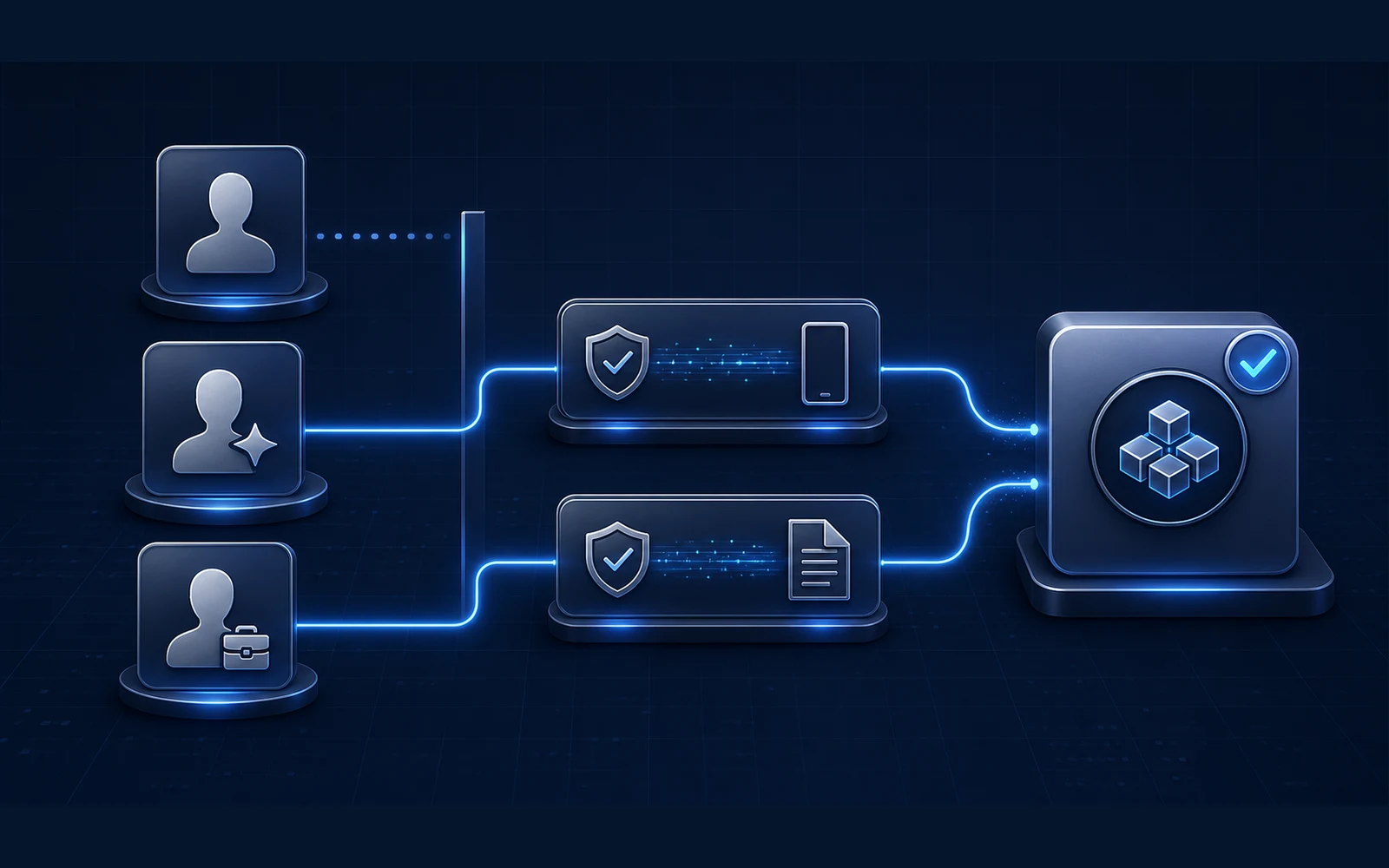
You choose your Instagram account inside a third-party tool and get an error that sounds like this:
“This Instagram account cannot be connected through the Business API.”
The wording varies by tool. It may mention an ineligible account, a Business API, a professional account, a missing Page, or an account that cannot be found.
The most common reaction is to switch the profile from Creator to Business and try again. That can be the right choice for a particular feature, but the error text alone does not prove it.
Meta currently documents both Business and Creator accounts as professional accounts supported by its Instagram APIs. Personal accounts are the account type that does not qualify for the professional API connection described in this guide. A Facebook Page may or may not be required depending on which login path the tool uses.
This article explains that eligibility layer. If your account already connects but messages, posts, or triggers do not work, use the separate Instagram permissions and delivery checklist.
Source check: This guide was verified against Meta and Instagram documentation available on August 5, 2026. Meta can change API names, permissions, and account controls. Follow the current authorization screen and the tool's current documentation.
The short answer
For most legitimate tools using Meta's Instagram APIs:
| Instagram account type | Professional account? | General API starting point | What to know |
|---|---|---|---|
| Personal | No | Not eligible for the professional API connections covered here | Switching to professional makes the profile public and changes available tools |
| Creator | Yes | Supported by Meta's Instagram APIs | A vendor or a particular feature can still impose a narrower requirement |
| Business | Yes | Supported by Meta's Instagram APIs | Often the clearest fit for an organization, but not universally required just because an API uses “business” in its name |
Instagram's professional-account guidance says professional accounts can be either Business or Creator. Meta describes Creator as the fit for public figures, content producers, artists, and influencers, and Business as the fit for businesses trying to grow and reach customers.
Meta's official Instagram API documentation likewise says the APIs allow Instagram professionals—Businesses and Creators—to manage their presence.
So the correct starting rule is:
Personal versus professional determines basic API eligibility. Creator versus Business is usually an operating and feature decision, not a universal pass-or-fail test for every third-party connection.
Why “Business API” is confusing
“Business API” is not a precise diagnosis of the profile setting.
A vendor may use the phrase as shorthand for Meta's professional Instagram platform. Meta also uses permission names such as instagram_business_basic and instagram_business_manage_messages for the Instagram Login API—even though the same documentation says that API is for both businesses and creators.
That creates a naming trap:
- Business in an API or permission name can describe the professional platform or technical permission.
- Business as an Instagram account type is one of two professional profile settings.
Those are related, but they are not interchangeable.
We could not find the exact remembered sentence—“your Instagram account cannot be connected through the Business API”—as a standardized message in Meta's public documentation. Treat the exact screen as tool-specific until the tool identifies the failed eligibility check.
Before changing the account type, save the complete error and ask:
- Is this profile Personal, Creator, or Business?
- Does this tool support both professional account types?
- Does the tool use Instagram Login or Facebook Login?
- Is the error actually about a missing Page, wrong login identity, existing connection, or missing access?
Business vs Creator: which should a coach use?
Choose the account type based on how the profile operates, then verify the specific tools and features you need.
| Decision factor | Creator is usually the clearer fit | Business is usually the clearer fit |
|---|---|---|
| Public identity | The person is the brand: coach, author, creator, speaker, or public figure | The profile represents a company, studio, agency, team, or distinct commercial brand |
| Team continuity | The owner remains the central identity and access is simple | Multiple operators, formal ownership, Page access, ads, commerce, or agency handoffs matter |
| Profile positioning | Content and audience relationship lead the profile | Services, company contact, customer acquisition, and business operations lead the profile |
| Third-party API starting point | Eligible in Meta's documented professional APIs | Eligible in Meta's documented professional APIs |
| Feature requirement | Confirm that the exact vendor and feature support Creator | Prefer Business when a documented vendor or Meta feature explicitly requires it |
For a solo coach whose name and expertise are the brand, Creator can be a coherent choice. For a coaching company with setters, agencies, formal Page ownership, ads, and shared operations, Business may produce a cleaner ownership model.
Neither label makes unsafe activity safe. Neither label guarantees every vendor feature. And switching labels does not repair wrong Page access, stale permissions, or an account connected to the wrong workspace.
The two Meta connection paths
Many contradictory tutorials are describing different login paths.
Instagram Login: no Facebook Page required
Meta's official Instagram API with Instagram Login documentation says this setup supports Instagram professionals—businesses and creators—and does not require a Facebook Page linked to the Instagram professional account.
The authorization happens through the Instagram account. The permission names still include the word business, which is one reason Creator-account owners can misread an error or consent screen.
Facebook Login: a linked Page is required
Meta's official Instagram API documentation says the Facebook Login setup also supports Businesses and Creators, but its permission model requires a Facebook Page linked to the professional Instagram account.
For this path, three separate facts must line up:
- the Instagram profile is professional
- the correct Facebook Page is connected to that profile
- the Facebook identity authorizing the tool has access to that Page
Instagram's guide to adding or changing the connected Facebook Page says a Page may be missing from the selection list because the person does not have Facebook access to it.
The requirement belongs to the path, not internet folklore
| Question | Instagram Login | Facebook Login / Page-based connection |
|---|---|---|
| Business or Creator supported by Meta? | Yes | Yes |
| Personal account supported? | No | No |
| Facebook Page required by the API setup? | No | Yes |
| Page access can block setup? | Not for the direct Instagram Login requirement | Yes |
| Correct login identity still matters? | Yes | Yes |
This is why “you always need a Facebook Page” and “Pages never matter anymore” are both unreliable statements.
Six checks before changing your account type
1. Save the complete error
Capture the whole screen, not just the sentence you remember. Record:
- the tool and workspace
- Instagram handle
- date and time
- whether the login screen was Instagram or Facebook
- every account or Page shown in the picker
- the exact button and error text
- whether this account was previously connected somewhere else
An exact error can distinguish an account-type rejection from a Page-access problem or an existing connection in another workspace.
2. Confirm the profile's actual account type
Open Instagram's account controls and confirm whether the profile is Personal, Creator, or Business. Do not infer the technical account type from the bio, category label, or the fact that the owner runs a business.
A professional account should expose professional tools such as the Professional dashboard. Instagram also states that professional accounts cannot be private.
If the account is Personal, review that public-profile tradeoff before switching. If it is already Creator or Business, do not keep toggling between the two in hopes of clearing an unrelated access error.
3. Identify the login path
Write down whether the tool uses:
- Instagram Login
- Facebook Login
- Meta Business Suite or another Page-based setup
- an undocumented method
If the vendor does not identify the connection method, ask support which Meta API and authorization path it uses. The answer determines whether Page ownership belongs in your diagnostic path.
Be cautious with any service that asks you to send an Instagram password, two-factor code, session cookie, or recovery code to a person. Instagram's third-party app guidance advises people to be careful about the apps and websites they authorize.
4. Check the Page only when the path requires it
For Facebook Login or a Page-based connection:
- Confirm which Facebook Page is linked to the Instagram profile.
- Confirm the authorizing Facebook account has access to that Page.
- Confirm the Page is the one selected during the tool's authorization flow.
- Record the business portfolio that controls the Page, if one is involved.
Meta explains that linking a professional Instagram account to a Facebook Page enables functions such as third-party integrations and unified message management.
Do not create a duplicate Page simply because the correct one is missing from a picker. First determine who has access to the existing Page.
5. Check the vendor's narrower requirements
Meta platform eligibility and vendor compatibility are not identical.
A tool may support only one login path, may not have implemented every account type or feature, or may display a special error when the same Instagram account is already attached to another workspace. Its support documentation should say what it supports and what the error means.
Ask the vendor these precise questions:
Which Meta authorization path does this connection use: Instagram Login or Facebook Login?
Do you currently support both Instagram Creator and Business accounts for this feature?
Does this feature require a linked Facebook Page?
Does the error mean the profile is ineligible, inaccessible to the login owner, or already connected elsewhere?
What exact account, Page, and permission should appear in the authorization screen?
A response that says only “make it a business account” without identifying the failed requirement is not yet a diagnosis.
6. Reconnect once, with a controlled record
After you know the account type, connection path, and correct owner:
- Use the intended Instagram or Facebook identity.
- Select only the intended account, Page, and business assets.
- Review the permissions the tool requests.
- Complete one supported authorization attempt.
- Record the result and save the new error if it changes.
If authorization succeeds but events or replies fail, stop changing the account type. Move to the Instagram DM automation permissions checklist to test message access, permission refresh, routing, and one valid inbound conversation.
What changes when you move to a professional account?
Switching from Personal to Creator or Business is not merely a hidden API toggle.
Instagram says professional accounts cannot be private. Professional accounts gain tools such as the Professional dashboard, insights, contact options, and a secondary inbox. Instagram's switch-back guidance also says moving back to Personal removes access to Meta Business Tools and in-app insights, although insights data is preserved for a limited period described in that guidance.
Before switching, record:
- whether the profile must remain private
- who owns the profile and associated email
- whether the public category and contact fields are appropriate
- which insights, ads, inbox, publishing, and third-party workflows depend on professional status
- which Page should be linked, if your operating model uses one
Account type should be a deliberate operating decision, not a troubleshooting roulette wheel.
Myths about Instagram account eligibility
“Creator accounts cannot use third-party tools”
Too broad. Meta's current Instagram API documentation supports professional accounts, explicitly including Businesses and Creators. A particular tool or feature can be narrower, so verify that product rather than turning its limitation into a platform-wide rule.
“If the permission says business, the profile must be Business”
Not necessarily. Meta's Instagram Login permissions use instagram_business_* names while the same API documentation says the setup is available to both Businesses and Creators.
“Every Instagram API connection needs a Facebook Page”
No. Meta says Instagram Login does not require a linked Page. The Facebook Login path does.
“A Business account is safer from restrictions”
Account type is not an immunity setting. All accounts still need to follow Instagram's rules, protect credentials, and use authorized access. For the separate policy question, read the Instagram AI automation rules and myths guide.
“If the account connected, the setup is working”
Authorization only proves that the connection flow completed. It does not prove the tool receives the right events, can send the intended response, or owns the correct conversation route.
“Switching back and forth will reset the API”
We could not find an official Meta rule promising an API reset from toggling between Creator and Business. Repeated switching can also obscure what actually fixed—or broke—the connection.
Copyable pre-connection record
Do not put passwords, access tokens, recovery codes, or customer data in this record.
INSTAGRAM THIRD-PARTY CONNECTION RECORD

Instagram handle:
Current account type: Personal / Creator / Business
Professional dashboard visible: Yes / No
Profile public: Yes / No
Tool and workspace:
Feature being connected:
Authorization path: Instagram Login / Facebook Login / Page-based / Unknown
Facebook Page required by this path: Yes / No / Vendor to confirm
Linked Facebook Page, if required:
Authorizing Instagram or Facebook identity:
Page access confirmed, if required:
Business portfolio, if applicable:
Existing connection or workspace:
Exact error text:
Vendor documentation checked:
Last connection attempt and result:
Next owner:
This record turns “Instagram says no” into a set of facts another administrator or support team can actually investigate.
Primary-source verification log
| Source | What it supports | Checked |
|---|---|---|
| About professional accounts on Instagram | Business and Creator account definitions, professional features, and public-profile requirement | August 5, 2026 |
| Meta's Instagram API documentation | Business and Creator API support; Facebook Login Page requirement; personal-account limitation | August 5, 2026 |
| Instagram API with Instagram Login | Direct Instagram Login support and no linked-Page requirement | August 5, 2026 |
| Add or change the connected Facebook Page | Professional-account and Page-access requirements; missing-Page troubleshooting | August 5, 2026 |
| Connect a professional Instagram account to a Page | Third-party integrations and cross-app message management enabled by Page linking | August 5, 2026 |
| Switch back to a personal account | Loss of Meta Business Tools and insights access when leaving professional status | August 5, 2026 |
Quick answers
Does a coach need an Instagram Business account for automation?
Not universally. Meta documents both Creator and Business as professional account types supported by its Instagram APIs. Use Business when it matches the operation or a documented feature requires it; do not infer the requirement from the word “business” in an API name alone.
Why is my Creator account rejected?
Possible layers include a vendor-specific limitation, the wrong login identity, a Facebook Login path with no accessible linked Page, an existing connection in another workspace, or a different missing permission. Save the exact error and ask which check failed.
How do I know whether my profile is professional?
Check the account type in Instagram's account controls and look for the Professional dashboard. A professional profile will be set to Creator or Business and cannot be private.
Will switching to Business fix a missing Facebook Page?
Not necessarily. If the profile is already professional, Meta says a Page can be absent from the picker because the Facebook identity lacks access. Verify the linked Page and access owner before changing the Instagram account type.
Is a legitimate third-party Instagram tool allowed?
Instagram provides official app authorization and API paths, so “all third-party tools are banned” is false. The important distinction is whether the tool uses supported access and whether its actions comply with the applicable rules. The Instagram automation rules guide covers that question in detail.
The bottom line
An error mentioning the Instagram “Business API” does not automatically mean a Creator account must become a Business account.
First separate the terms. Personal accounts are not eligible for the professional API connections covered here. Creator and Business are both professional account types supported in Meta's Instagram API documentation. A Facebook Page is required for the Facebook Login path, but not for Instagram Login. A vendor can still impose narrower requirements and should be able to identify them.
Save the exact error. Confirm the account type. Identify the login path. Check Page access only when it belongs to that path. Verify the vendor's supported account types. Then reconnect once with a controlled record.
That approach is slower than flipping settings at random for five minutes—and much faster than losing the working ownership trail for the account.
Frequently asked questions
Can an Instagram Creator account connect to third-party tools?
Yes, when the tool supports Creator accounts and uses Meta's official Instagram APIs. Meta documents both Business and Creator accounts as professional accounts supported by Instagram Login and Facebook Login. A specific tool can still have narrower product or feature requirements, so check its current documentation.
Why does the error say Business API if I have a Creator account?
Business API may be vendor shorthand or a reference to Meta permission names such as instagram_business_manage_messages. Meta uses those names while documenting the Instagram API for both Business and Creator professional accounts. The wording alone does not prove that you must switch to Business.
Can a personal Instagram account connect through the API?
Not through the professional Instagram API connections described here. Meta says its Instagram APIs support professional accounts, meaning Business or Creator accounts, and its Facebook Login documentation says consumer accounts cannot be accessed.
Do I need a Facebook Page to connect an Instagram tool?
It depends on the login path. Meta says Instagram Login does not require a linked Facebook Page. Facebook Login does require a Page linked to the professional Instagram account, and the connecting person must have the necessary Page access.
Should I switch from Creator to Business when a tool will not connect?
Not as the first troubleshooting step. First verify that the vendor supports Creator accounts, identify whether it uses Instagram Login or Facebook Login, confirm the selected profile and Page access, and save the exact error. Switch only when a documented feature or vendor requirement actually calls for Business.
Ready to Try Intellicoach?
Built for online coaches with real DM volume who want to automate follow-ups and qualification without losing their voice.