Instagram Not Eligible for Recommendations? What to Do
If Instagram says your account can't be recommended to non-followers, learn what it means, how to check Account Status, request review, and track reach.
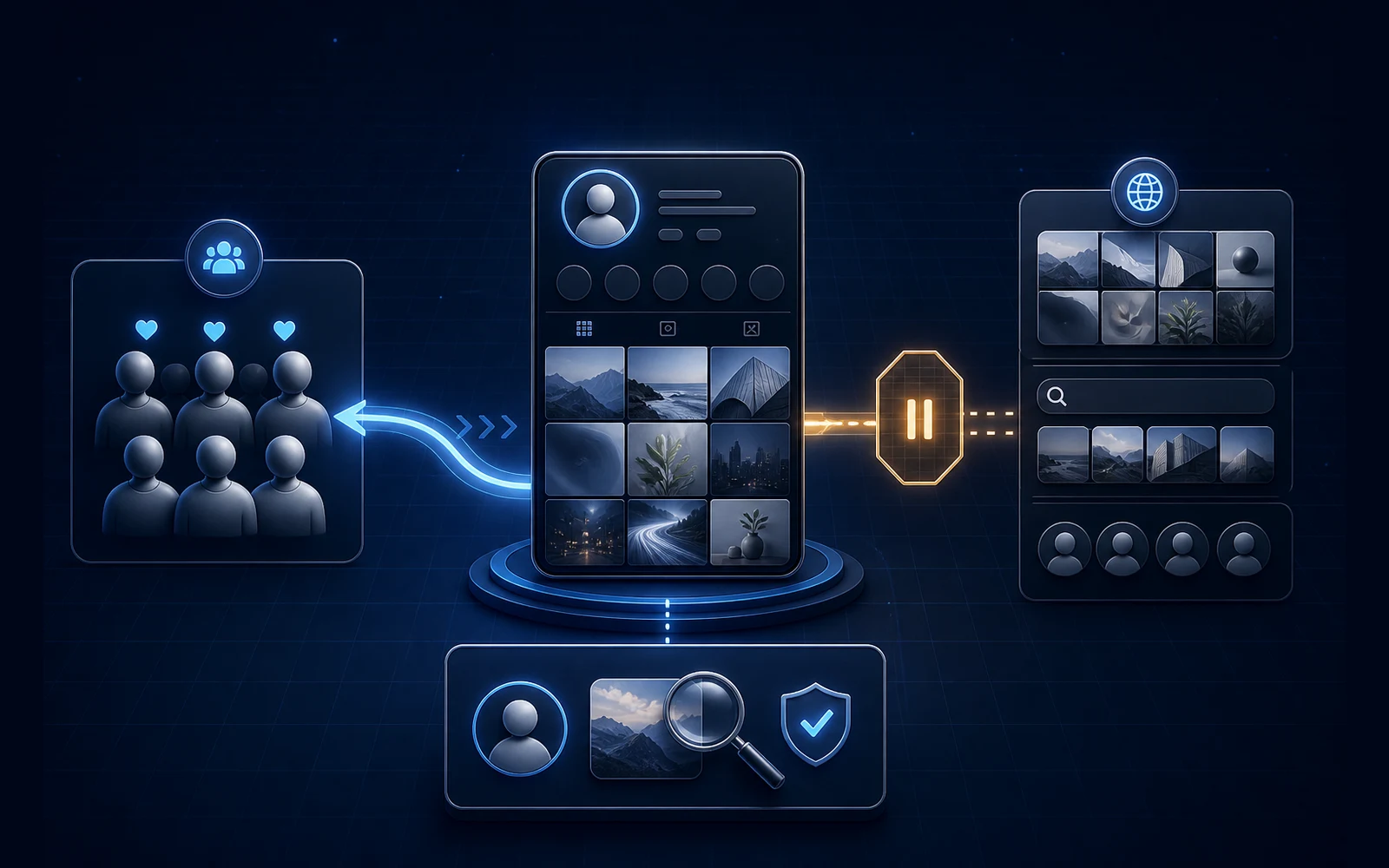
Instagram Account Status says:
“Your account can't be recommended to non-followers.”
Your posts may still be visible. Followers may still like, comment, and message you. But growth from Reels, Explore, search, suggested accounts, or feed recommendations appears to stop.
This is often called a shadowban. Instagram uses a more specific term: recommendation eligibility.
That distinction matters because a recommendation issue is not automatically a deleted post, feature restriction, security warning, or disabled account. It also does not prove why reach changed unless Account Status identifies a profile element, post, or reel.
This guide explains what the status means, what Instagram officially lets you inspect, and how to respond without deleting half your account or trusting an unofficial “14-day reset.”
Source check: This guide was verified against Meta and Instagram documentation available on August 8, 2026. Account Status screens and review options can change. Follow the current instructions shown inside your account.
The short answer
If Instagram says your account is not eligible for recommendations, people who already follow you may still see your content, but Instagram may stop recommending the account and its content to non-followers.
Instagram's recommendation eligibility guidance names Reels, feed recommendations, Explore, search, and suggested accounts as recommendation surfaces. It also says:
- recommendation rules apply to public accounts
- professional accounts can inspect eligibility in Account Status
- a profile photo or bio can affect eligibility, not only posts and reels
- Account Status may show sample content and the applicable guideline
- an account-level ineligible status can prevent all content from being recommended
- followers may still see content from an ineligible account
- eligible status does not guarantee that Instagram will recommend the content
Start with the status Instagram shows, not a reach rumor.
Recommendation eligibility is not the same as content removal
Instagram applies a higher standard to content it recommends to people who did not choose to follow an account.
Its Recommendations Guidelines explain that some content can remain allowed on Instagram but still be excluded from recommendation because it is sensitive, low quality, objectionable, misleading, or unsuitable for discovery audiences.
| Account state | What it means | What it does not automatically mean |
|---|---|---|
| Eligible for recommendations | The account or content may be considered for non-follower discovery | Instagram must distribute every post |
| Content not eligible | A specific post or reel may not be recommended | The content was removed from followers |
| Account not eligible | Instagram may stop recommending all content from the account to non-followers | The account is deleted or disabled |
| Removed content | Instagram says content violated Community Standards | Every remaining post is ineligible for recommendation |
| Feature restriction | A specific action such as commenting or messaging cannot be used | Recommendation eligibility is necessarily affected |
| Disabled account | The account cannot be accessed normally | This is merely a reach problem |
Instagram's Account Status documentation separates removed content, features that cannot be used, and review actions. Treat those as different incident lanes.
If you received a suspected automated-behavior notice or a security warning, use the separate Instagram automated-behavior warning response guide. This page stays focused on recommendation eligibility.
First classify the state you can actually observe
Four recommendation scenarios require different responses.
| What Account Status and Insights show | What you know | Best next action |
|---|---|---|
| Eligible, but reach is lower | No confirmed recommendation restriction | Compare follower and non-follower performance; do not call reach alone a ban |
| A post or reel is identified | Instagram associates that item with a Recommendations Guideline | Save the finding, read the cited guideline, then edit, remove, or request review as offered |
| A profile element is identified | The profile photo, bio, or another displayed profile element affects eligibility | Preserve the old profile state, inspect the identified element, then edit or request review |
| Not eligible, but no item or profile cause appears | The ineligible state is visible, but the public screen does not establish a cause | Document the entire state, inspect every Account Status section, use available review or support, and avoid mass deletion |
The fourth state is frustrating because it provides less information. It is still important not to fill the gap with certainty. A blank content list does not prove duplicate content, a link, a hashtag, AI, a device, or a hidden timer caused the issue.
The seven-step response checklist
1. Capture the complete status before changing anything
Save screenshots or a screen recording that includes:
- Instagram handle
- date, time, and time zone
- the complete recommendation message
- whether it says the account, profile, or specific content is affected
- every sample post or reel shown
- the guideline Instagram names
- the available buttons: edit, remove, review, or another action
- the rest of Account Status, including removed content and features you cannot use
- current profile photo, name, username, bio, and links
Do not crop the screenshot down to a green check or orange warning. The surrounding labels determine which system you are diagnosing.
2. Confirm that the account is public and professional
Instagram says recommendation eligibility applies to public accounts. Professional accounts—Business or Creator—can inspect recommendation eligibility in Account Status.
If you are unsure whether the profile is Personal, Creator, or Business, use the Instagram Business-versus-Creator account guide. Do not switch account types merely to clear a recommendation finding; account type and recommendation compliance are separate questions.
Record:
| Eligibility detail | Result |
|---|---|
| Account type | Personal / Creator / Business |
| Public account | Yes / No |
| Professional dashboard visible | Yes / No |
| Recommendation status | Eligible / Ineligible / Not shown |
| Finding type | Content / Profile / No example shown |
3. Check both content and profile findings
Creators often inspect only their latest reels. Instagram says Account Status can also identify something in the profile, such as the profile photo or bio.
Review the exact section Instagram points to. If the profile is implicated, preserve the current:
- profile photo
- name and username
- bio
- links
- category and visible contact information
This does not mean every bio link is prohibited. It means profile-level findings deserve their own inspection rather than deleting unrelated posts.
If a specific post, reel, carousel, caption, or cover is shown, save that item and the stated guideline before editing it. Your team will need the original state if it asks for a review or wants to prevent a repeat.
4. Read the cited Recommendations Guideline
Do not substitute generic “Instagram-safe content” advice for the category Account Status displays.
Instagram's current Recommendations Guidelines include categories especially relevant to coaching, wellness, and business accounts:
- Sensitive or objectionable material. Some sexual, violent, self-harm, regulated-product, or other sensitive content may remain allowed but not be recommended widely.
- Health and finance quality. Instagram lists exaggerated health claims, miracle-cure framing, certain weight-loss supplement claims, cosmetic-procedure content, and misleading financial models among content it may avoid recommending.
- Low-quality publishing. Instagram identifies largely repurposed content that adds little material value as a recommendation concern.
- False or misleading information. Content or accounts with repeated false-information findings can lose recommendation eligibility.
- Account-level practices. Recent violations, repeated non-recommendable posts, misleading audience-growth practices, or an advertising ban can affect whether an account is recommended.
For a fitness or wellness coach, the health-claim category deserves careful attention. Before-and-after media, body imagery, supplement promotions, or aggressive outcome claims can raise different issues. Do not infer the reason from the niche alone—use the item and guideline Instagram actually displays.
5. Choose edit, remove, or review deliberately
Instagram says Account Status may let you edit or remove material that conflicts with Recommendations Guidelines or request review of a decision.
Choose based on the finding:
| Situation | Reasonable response |
|---|---|
| The post, reel, caption, cover, bio, or profile image clearly contains the identified issue | Preserve evidence, then edit or remove the identified element using the offered flow |
| You believe Instagram evaluated the content or profile incorrectly | Preserve the complete item and submit the available review with a concise factual explanation |
| The finding is ambiguous | Read the cited guideline and ask support about the exact element before changing unrelated content |
| No review or editable item appears | Document the state and use the available in-app support path; do not invent a cause |
Do not repeatedly submit contradictory reviews. Do not pay a stranger claiming to have an internal Meta contact. And never share passwords, two-factor codes, or recovery codes with an “unban” service.
6. Handle “not eligible” with no example shown
Recent public discussions show that some people are searching for help because Account Status says the account is ineligible but does not display a post, reel, or profile element to address. Those reports establish that the question exists; they do not prove one platform-wide bug or cause.
If this is your screen:
- Capture the full recommendation page and every Account Status subsection.
- Check whether the profile section names the photo, bio, or another element.
- Confirm the app is current, then close and reopen it and check from another supported device if available.
- Record whether removed content or unavailable features show a separate issue.
- Use any review, report-a-problem, or professional-support route available to the account.
- Keep a dated log of status changes and support case numbers.
- Avoid deleting a large archive without an identified item or guideline.
Meta's public guidance does not provide a universal fix for an ineligible status that shows no example. A careful record is more useful than cycling through hashtags, deleting recent posts, or switching account types at random.
7. Measure eligibility and reach separately
When Account Status returns to eligible, record the date and time. Then treat content distribution as a separate measurement question.
Instagram explicitly says eligibility does not guarantee recommendation. Its suggested-post documentation says suggestions can consider a person's activity, connections, information about the post, and recent interaction with the account.
Use Instagram Insights to compare consistent periods. Depending on the content type and metrics available to the account, record:
| Measurement | Before status change | After status change |
|---|---|---|
| Recommendation status | ||
| Date range | ||
| Posts/reels published | ||
| Accounts reached | ||
| Views | ||
| Accounts engaged | ||
| Follower reach or engagement | ||
| Non-follower reach or engagement | ||
| Explore/Reels/feed discovery shown |
Instagram notes that some Insights metrics are estimated and in development. Use them as directional account evidence, not a promise that one change caused every result.
What a clean Account Status proves—and what it does not
A clean recommendation status is good evidence that the professional-account screen currently considers the account eligible for recommendation.
It does not prove:
- every post will reach non-followers
- every follower will see every post
- a reel will enter Explore
- the account has no separate feature or security issue
- one low-performing post was suppressed
- another account will see the same recommendation mix
If status is clean but reach falls, investigate content performance, audience response, timing, competition, and normal distribution variation. Do not diagnose an invisible penalty solely from one reel or a third-party “shadowban checker.”
Myths that make recommendation problems harder to solve
“A recommendation restriction means my account is banned”
No. Instagram says ineligible content may still be visible to followers. A disabled account, removed content, feature restriction, and recommendation issue are different states.
“A green recommendation status means Instagram must push my content”
No. Eligible means the content may be recommended. It is not a distribution guarantee.
“Deleting the last post always fixes it”
Only if Instagram identifies that item and removal is the appropriate action. A profile element or account-level pattern will not necessarily be resolved by deleting the newest reel.
“The bio link is always the problem”
Instagram says profile elements can affect eligibility, but that does not make every external link prohibited. Inspect the specific profile finding instead of removing every link by default.
“It always resets after 14, 30, or 90 days”
We could not find a universal recovery timer in Instagram's public recommendation-eligibility guidance. Use the action and review path attached to the account's actual finding.
“Post more reels to force the account back into Explore”
Posting volume is not a documented reset control. Resolve the displayed eligibility issue first, then evaluate new content performance after the status changes.
“Every reach drop is a shadowban”
Reach can change while Account Status remains eligible. Compare the documented status with Insights before claiming an account-level restriction.
Copyable recommendation-eligibility record
INSTAGRAM RECOMMENDATION ELIGIBILITY RECORD

Instagram handle:
Account type: Personal / Creator / Business
Public account: Yes / No
Status captured on:
Exact recommendation message:
Account eligible: Yes / No / Not shown
Finding type: Content / Profile / No example shown
Affected post, reel, caption, cover, bio, photo, or other element:
Guideline displayed:
Removed content also shown: Yes / No
Features unavailable also shown: Yes / No
Action offered: Edit / Remove / Review / Support / None
Evidence saved:
Action taken:
Review submitted on:
Support case number:
Eligibility restored on:
Before measurement window:
After measurement window:
Follower result:
Non-follower result:
Next owner:
Do not store passwords, two-factor codes, recovery codes, or private customer information in this record.
Primary-source verification log
| Source | What it supports | Checked |
|---|---|---|
| Instagram recommendation eligibility | Public-account eligibility, professional Account Status, content/profile findings, edit/remove/review options, follower visibility, and no ranking guarantee | August 8, 2026 |
| Instagram Recommendations Guidelines | Higher discovery standard and current content/account categories Instagram may avoid recommending | August 8, 2026 |
| Instagram Account Status | Removed content, features that cannot be used, account limitations, and review actions | August 8, 2026 |
| About Instagram Insights | Professional-account metrics, date ranges, reached and engaged accounts, and metric limitations | August 8, 2026 |
| How suggested posts are determined | Activity, connections, post information, and account interaction as recommendation inputs | August 8, 2026 |
Quick answers
Can followers still see my posts if I am not eligible for recommendations?
Yes. Instagram says recommendation ineligibility applies to discovery among non-followers and that content may still be shown to followers.
Can my bio make my account ineligible for recommendations?
Instagram says Account Status can identify something in the profile, including the profile photo or bio, that conflicts with Recommendations Guidelines. Inspect the element Instagram identifies rather than assuming every bio or link is a problem.
Should I delete a flagged reel or request review?
If the reel clearly contains the issue Instagram names, preserving evidence and then editing or removing it may be appropriate. If you believe the decision is wrong, use the review option shown. Do not edit first if doing so would destroy the evidence needed to explain the original item.
What if no flagged content appears?
Save the entire status, inspect content and profile sections, check removed content and unavailable features, use any available support route, and avoid deleting unrelated posts without an identified guideline.
How will I know whether reach recovered?
First record when Account Status becomes eligible. Then compare consistent Insights windows, including follower and non-follower data where available. Eligibility returning and reach changing are related questions, but they are not the same measurement.
The bottom line
“Not eligible for recommendations” is a documented Instagram account state, not proof of a mysterious universal shadowban.
It means the affected account or content may not be recommended to non-followers. Followers may still see it. A specific post, reel, profile element, or broader account state may be involved—but only the evidence displayed in Account Status tells you which one Instagram has identified.
Capture the complete screen. Separate recommendation eligibility from removed content and feature restrictions. Inspect both profile and content findings. Read the cited guideline. Choose edit, remove, or review deliberately. If no example appears, document the gap instead of inventing a cause. Then measure eligibility and reach as separate questions.
That gives you a defensible recovery record—and a much clearer answer than “the algorithm hates my account.”
Frequently asked questions
What does not eligible for recommendations mean on Instagram?
It means Instagram currently may not recommend the affected account or content to people who do not follow it in surfaces such as Reels, Explore, feed recommendations, search, or suggested accounts. Followers may still see the content. Recommendation eligibility is separate from content removal, feature restrictions, and account disablement.
Is not eligible for recommendations the same as a shadowban?
Shadowban is an informal label. Recommendation eligibility is a documented status that professional accounts can inspect in Account Status. Use the displayed status and identified profile or content finding instead of diagnosing a hidden ban from reach alone.
Why does Instagram say my account cannot be recommended but show no flagged content?
Meta's public guidance says Account Status can identify profile elements or sample content affecting eligibility, but it does not document every no-example scenario. Save the complete screen, check profile and content sections, update and reopen the app, use any available review or support path, and avoid deleting unrelated content without an identified reason.
How long does Instagram recommendation ineligibility last?
Instagram's public recommendation-eligibility guidance does not provide one universal recovery period. The available action depends on the finding shown in Account Status, such as editing or removing content or requesting a review. Do not rely on an unofficial fixed timer.
Why is my Instagram reach low when Account Status says I am eligible?
Eligibility means Instagram may recommend the account or content; it does not guarantee distribution. Review professional Insights, compare follower and non-follower reach where available, and evaluate content performance separately from account eligibility.
Ready to Try Intellicoach?
Built for online coaches with real DM volume who want to automate follow-ups and qualification without losing their voice.